August 15, 2026
Lambda Preview Runtimes: What AWS's Shift Means
AWS Lambda preview runtimes let serverless teams test Node.js 26 and Python 3.15 before GA. Here is how to benchmark them safely, without risking production.
Article focus
Lambda preview runtimes let you run Node.js 26 and Python 3.15 on AWS Lambda before general availability, so teams can test compatibility and cold starts early.
Section guide
Lambda preview runtimes let you deploy Node.js 26 and Python 3.15 on AWS Lambda before general availability, so serverless teams can test compatibility and benchmark cold starts early instead of facing a risky, rushed migration on GA day. The catch is important: these runtimes carry no service level agreement or support, and breaking changes are still possible, so they belong in testing, not production. At Van Data Team, we turn that early access into a safe, evidence-backed upgrade plan.
Key Takeaways
- AWS introduced public preview runtimes on Lambda, starting with Node.js 26 and Python 3.15, a departure from its historical general-availability-only policy.
- AWS states these preview runtimes are not covered by the Lambda SLA or technical support and should not be used for production, because breaking changes are still possible before the stable release.
- Both languages are expected to reach stable upstream releases around October 2026, with Lambda GA targeted within about two months after each.
- Van Data Team's recommendation: use preview runtimes to test dependencies and measure cold starts in isolated, non-production accounts, and treat every finding as input to a planned GA upgrade.
What AWS Actually Shipped
AWS Lambda now offers pre-release language runtimes you can deploy before those versions are generally available.
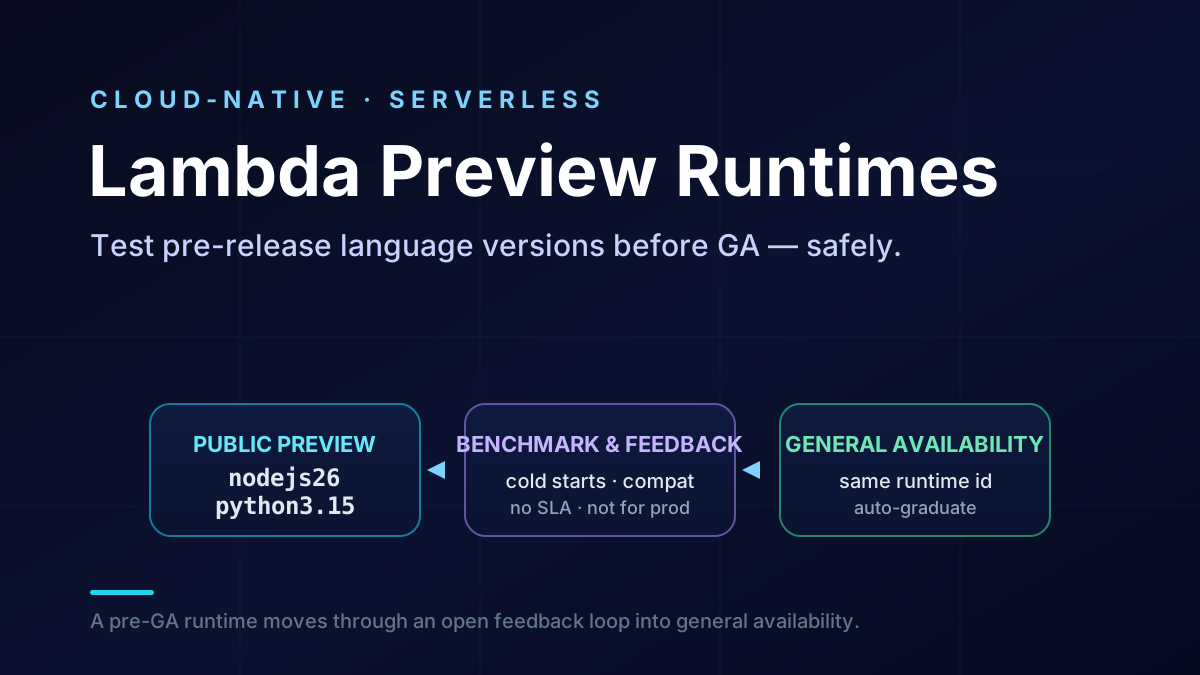
Reported fact: AWS introduced public preview runtimes starting with Node.js 26 and Python 3.15. Historically, Lambda published only generally available runtimes. With Lambda preview runtimes, you can now create and update functions on these pre-release versions, run them, and report what you find. AWS positions the program as a way to gather feedback from customers, partners, and upstream language communities before general availability.
The boundary is the detail that matters most. AWS is explicit that preview runtimes are not covered by the Lambda SLA or technical support and should not be used for production workloads. Breaking changes remain possible while the language version is still stabilizing. That single sentence should shape how your team uses the feature.
In AWS's own words, these runtimes are "not covered by the Lambda SLA or technical support" and "should not be used for production workloads." AWS states the goal plainly: to "gather feedback from customers, partners, and upstream language communities" before a version is stable. The program is explicitly a "public preview," and AWS warns that "breaking changes are still possible" before the stable 2026 releases. That's a clear signal about where preview runtimes belong, and it's the line you shouldn't cross.
AWS also notes that preview runtimes share the same runtime identifier as the eventual GA release. In practice, that's meant to let a function graduate to the stable runtime without changing its identifier. Treat the exact regional availability and identifier behavior as reported details, and confirm them in the AWS announcement for your regions before you plan around them.
On timing, AWS expects both Node.js 26 and Python 3.15 to reach stable upstream releases around October 2026, and targets Lambda GA for each within roughly two months after. Those are targets, not guarantees, so plan with a margin.
Why Do Lambda Preview Runtimes Matter for Serverless Teams?
Lambda preview runtimes matter because they move runtime risk from GA day into a controlled window where you can still influence the outcome.
Under a GA-only policy, a new language version arrives as a finished fact. You migrate, then you discover which dependencies break, how cold starts shift, and where behavior changed. With Lambda preview runtimes, that discovery happens earlier and on a production-identical platform. Serverless engineers and framework authors can test upstream compatibility, measure cold-start and execution behavior, and surface edge cases while AWS and language maintainers can still act on them.
Van Data Team analysis: The value isn't "run the newest version sooner." It is "remove surprises from the eventual upgrade." Every dependency break you find in preview is one you don't fight in production. Every cold-start regression you measure is one you can plan for or report. This is the same posture we bring to cloud cost and reliability guardrails for data platforms: reduce the cost of change by finding problems before they reach customers.
There is a second, quieter benefit. Preview participation gives your team and the wider community a feedback channel into the runtime itself. Reporting a real defect during preview is more useful than absorbing it silently after GA.
Preview Versus GA: What Changes
The table below summarizes the practical differences, so teams can set the right expectations before they deploy anything.
| Dimension | Preview runtime | GA runtime |
|---|---|---|
| Intended use | Testing, benchmarking, feedback | Production workloads |
| SLA and support | Not covered | Covered |
| Stability | Breaking changes still possible | Stable, versioned behavior |
| Runtime identifier | Shared with eventual GA release | Same identifier at graduation |
| Right home | Isolated non-production account | Production account with guardrails |
Read the runtime identifier row carefully. A shared identifier is convenient, but it isn't a guarantee that your function behaves identically after GA. A defect fixed during preview changes behavior between the version you benchmarked and the version you ship. Retest on the GA runtime before you trust earlier numbers.
How Should You Test Lambda Preview Runtimes Safely?
Test Lambda preview runtimes in an isolated account with production-like inputs, and treat every result as evidence for a planned upgrade rather than a reason to ship early.
The goal is a repeatable experiment, not a one-off deploy. The checklist below keeps Lambda preview runtimes testing safe and useful.
- Isolate the blast radius. Deploy preview functions in a separate, non-production account or environment. Keep them off any path that serves real customers or writes to production data.
- Pin and inventory dependencies. Record exact package versions and lockfiles. Preview testing is mostly about finding which libraries break on the new language version.
- Reproduce real traffic shapes. Use representative payloads, concurrency, and memory settings. Cold-start and execution numbers only matter if the test resembles your workload.
- Measure cold starts deliberately. Compare initialization and execution time against your current GA runtime under the same configuration. Separate init duration from execution duration.
- Exercise the failure paths. Test timeouts, large payloads, native extensions, and unusual inputs, because edge cases are exactly what preview feedback should surface.
- Capture and report. Log versions, configuration, and outputs. File clear reports for real defects so AWS and maintainers can act before GA.
- Plan the graduation. Write the upgrade steps now: retest on GA, roll out behind versioned aliases, and keep a rollback path.
This mirrors how we approach any risky change, including reducing AWS costs through disciplined data engineering: make the change measurable, reversible, and evidence-backed before it touches production.
Watch the operating dimensions
Preview testing is also a chance to observe the dimensions that decide serverless cost and reliability. Track cold-start latency, execution latency, memory footprint, and error rates side by side with your GA runtime. If the new version changes any of them, you want that number recorded and explained before customers ever see it. For event-driven systems, validate the runtime against your queues and triggers as well, using the patterns in our guide to event-driven architecture with message queues.
What to measure first on a preview runtime
Two questions decide whether a language upgrade is safe: does your code still run, and does it still perform? Structure your first preview pass around both.
Start with compatibility. Deploy your real function code and its full dependency tree on the preview runtime, then run your existing test suite against it. Native modules, C extensions, and libraries that touch the standard library are the usual failure points, because a new language version can remove deprecated APIs or change default behavior. Record every import error, deprecation warning, and behavior change, because those are exactly the signals AWS and language maintainers can still act on before general availability.
Then measure cold-start and execution cost. Cold start is the extra time Lambda needs to initialize a new execution environment before your handler runs. Deploy the same function on both your current GA runtime and the preview runtime. Hold memory and configuration constant, then drive identical traffic through each.
Separate initialization time from execution time, and capture the numbers at the percentiles you actually care about, such as p50, p90, and p99. A new runtime can improve or regress either phase. An average alone hides the tail latency that breaks a service level objective.
A simple benchmark table keeps this honest. Fill one row per function with your own measured numbers:
| Metric | GA runtime | Preview runtime | Verdict |
|---|---|---|---|
| Cold start (p90) | your number | your number | better / worse / same |
| Execution time (p90) | your number | your number | better / worse / same |
| Memory used | your number | your number | better / worse / same |
| Error rate | your number | your number | better / worse / same |
In practice, your first preview pass should produce three concrete outputs:
- A compatibility report: which dependencies installed, which broke, and every deprecation warning your test suite raised.
- A cold-start comparison: initialization and execution time on GA versus preview, at p50, p90, and p99, with memory held constant.
- A go or wait note: a short recommendation that says whether the runtime is ready to benchmark further, or blocked on a specific fix.
Finally, write the results down as evidence, not impressions. Build a short "GA versus preview" table for cold start, execution time, memory, and error rate. It turns a vague "it feels fine" into a number you can defend at GA. That record is also what makes your eventual upgrade a formality instead of a gamble.
When Is Early Adoption Worth It?
Early adoption is worth it when a specific upstream feature, fix, or performance change materially helps your workload, and when you have a non-production place to prove it.
For many teams, the honest answer is that preview runtimes are a testing tool, not a delivery accelerator. You aren't shipping Node.js 26 or Python 3.15 to customers today. You're buying certainty about the day you'll ship it. That certainty is most valuable when your service has heavy dependencies, native modules, tight latency budgets, or a large fleet of functions where a bad GA-day surprise would be expensive.
It's less urgent when your functions are small, dependency-light, and easy to migrate later. In that case, a short preview pass close to GA may be enough. The decision is a workload judgment, not a blanket rule.
Best fit versus skip for now
Use Lambda preview runtimes early when the cost of a bad GA-day surprise is high. Test now if any of these describe your fleet:
- Heavy or native dependencies. You rely on compiled extensions, machine-learning libraries, or packages that historically break across language versions.
- Tight latency budgets. Cold-start or execution regressions would breach a user-facing service level objective, so you need numbers before GA.
- Large function fleets. A version bump touches dozens or hundreds of functions, and a single incompatibility multiplies fast.
- Framework or platform authors. Your code is a dependency for other teams, so early compatibility signals protect everyone downstream.
Wait, and run a short preview pass closer to GA, when the trade-offs point the other way:
- Small, dependency-light functions. A handful of standard-library handlers are cheap to migrate and retest later.
- No pressing upstream driver. No specific Node.js 26 or Python 3.15 feature, fix, or performance change materially helps your workload today.
- Limited testing capacity. You can't yet staff an isolated account and a real benchmark, so premature testing produces noise instead of evidence.
The honest trade-off is simple. The upside of Lambda preview runtimes is early certainty and a feedback channel; the downside is the engineering time to test in isolation and the discipline to keep the results out of production. For high-risk fleets, that time pays for itself. For low-risk ones, it can wait.
Whatever the timeline, the discipline is the same one we apply across serverless and cloud-native platforms: define the claim, test in isolation, measure the operating dimensions, and keep a rollback path. Want help turning early runtime access into a safe upgrade plan? Our cloud cost optimization service and data pipeline engineering team can scope a preview-testing and migration playbook for your Lambda fleet.
How Long Should a Preview Test Take?
A focused preview test takes about two weeks for most teams. You don't need a big program. You need one isolated account, a few representative functions, and a clear stopping point.
Here's a simple two-week shape you can adapt.
Week one is for compatibility. Deploy your real functions on the preview runtime, then work through the basics:
- Install the full dependency tree, then run your existing test suite against it.
- Watch the packages that break most often across versions, such as numpy, pandas, pydantic, or any module with native code.
- Log every install failure and deprecation warning as you go.
By Friday, you'll know whether your code even runs.
Week two is for performance. Pick two or three high-traffic functions, then benchmark each one:
- Deploy the function on both your current GA runtime and the preview runtime.
- Hold memory constant at the sizes you actually use, such as 512 MB or 1024 MB.
- Drive the same test traffic through both, and record cold-start and execution time at p50, p90, and p99.
Then compare the runs and keep the numbers as evidence.
Keep the scope small on purpose. Three functions with clean evidence beat thirty with vague notes. If a function depends on a native extension or a tight latency budget, it belongs in the test. If it's a small handler with standard-library code, it can wait.
Two weeks is a guide, not a rule. A single high-risk function might need only two days. A large fleet with many native dependencies might need a month. The point is a fixed, bounded window with a clear deliverable at the end: a short report that says what broke, what changed, and whether you're ready for GA.
This is the same bounded, reversible approach we bring to every risky change: set a scope, measure it, write down the evidence, then decide.
Lambda Preview Runtimes Are a Planning Tool, Not a Shortcut
Lambda preview runtimes give serverless teams a production-identical way to test pre-release language versions, but the value comes from disciplined testing, not from shipping early.
AWS's shift from a GA-only policy to an open, pre-GA feedback loop is the real story. It lets engineers and framework authors validate Node.js 26 and Python 3.15 compatibility, measure cold-start behavior, and report edge cases while there's still time to fix them. The boundary AWS draws around the feature, no SLA, no support, not for production, isn't fine print. It's the instruction for how to use it.
There's a quieter win here too. When you test Lambda preview runtimes and report a real defect, you're not just protecting your own fleet. You're feeding a fix back into the runtime before it reaches everyone else. That's a better position than absorbing the same bug silently on GA day.
The practical next step is small. Stand up an isolated account, deploy your highest-risk functions on the Lambda preview runtimes, measure them against your current GA runtime, and write down what breaks. Then turn that evidence into a graduation plan. Explore more serverless and data engineering guidance from Van Data Team, or use the checklist above to run your first safe preview test.
Article FAQ
Questions readers usually ask next.
These short answers clarify the practical follow-up questions that often come after the main article.
Need a similar system?
If this article maps to a workflow your team already operates, the next step is usually a scoped review of the system, constraints, and rollout path.
Book your free workflow review here.
Related articles
View all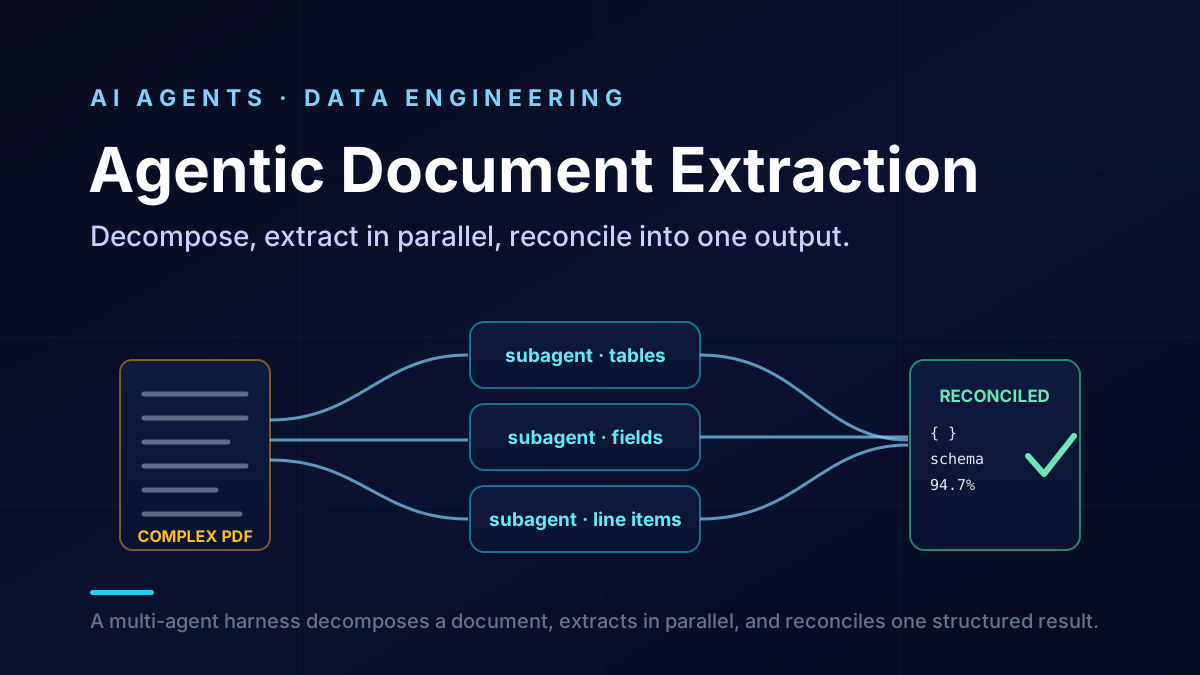
Agentic Document Extraction and Databricks Precision Mode
Serverless Voice Agents on AWS: A Production Guide
Claude Fable 5: A Practical Guide for Production AI Workflows